

The post Rhapsody of Realities 7 August 2020 – Speaking Wisdom appeared first on Flatimes.
Source: flatimes.com
The post Rhapsody of Realities 7 August 2020 – Speaking Wisdom appeared first on Flatimes.
Source: flatimes.com

Television commentator and former NFL coach Tony Dungy is defending NBA players and other professional athletes who stand for the national anthem – as well as those who opt to kneel.
Dungy, in a series of tweets over the weekend, discussed the decision by Jonathan Isaac of the NBA’s Orlando Magic to stand during the anthem. Up until that moment, every player in the league had kneeled.
Isaac defended his decision by referencing his Christian faith, saying “Jesus is the answer” to America’s problems.
“We’ve said people should be able to exercise their right to kneel during the National Anthem and we should listen & hear their reasons why,” tweeted Dungy, who was the first black head coach to win a Super Bowl. “When Jonathan Isaac chooses to stand we should do the same. He explained his reasons very clearly — he wants to stand in prayer. I say Amen!”
We’ve said people should be able to exercise their right to kneel during the National Anthem and we should listen & hear their reasons why. When Jonathan Isaac chooses to stand we should do the same. He explained his reasons very clearly-he wants to stand in prayer. I say Amen!🙏🏽 https://t.co/lu0JZR0SYh
— Tony Dungy (@TonyDungy) July 31, 2020
Dungy then responded to several Twitter followers who either objected to his statement or had questions.
To one person who said Isaac should have kneeled,…
… Read More
Click here to read the rest of the story from our content source/partners – Christian Headlines.

Jerry Falwell, Jr., the President of Liberty University, has apologized for posting an odd photo to his Instagram account.
Over the weekend, Falwell posted and quickly deleted a photo of himself standing next to a woman, identified by The Christian Post as his wife’s assistant, with both of their pants unzipped and their stomachs out. The photo, which was reportedly taken at a Trailer Park Boys themed costume party hosted by the Falwells, caused many to criticize the Christian university president.
On Wednesday, in an interview on WLNI’s MorningLine, Falwell provided some context to the photo while also noting that he has apologized to all who were personally affected by the photo.
Talking about the woman standing next to him in the photo, Falwell told MorningLine, “She’s pregnant, so she couldn’t get her pants zipped. I had on a pair of jeans I haven’t worn in a long time, so I couldn’t get mine zipped up, either. And so, I just put my belly out like hers.”
“I should never have put it up” and “embarrassed her,” he added, noting that he has “apologized to everybody” involved.
The photo of Falwell went viral after Robert Downen, a faith and religion writer for the Houston Chronicle, shared a screenshot of the photo to his Twitter account. Dow captioned the photo, “Wut is happening.”
wut is happening pic.twitter.com/8iEOr9EeRQ
— Robert Downen…
… Read More
Click here to read the rest of the story from our content source/partners – Christian Headlines.

In recent weeks, there’s been a lot of discussion about the proper way for churches to worship.
One of the passages cited most often in support of meeting in person is Hebrews 10:25: “not neglecting to meet together, as is the habit of some, but encouraging one another, and all the more as you see the Day drawing near.”
But what does the author of Hebrews mean when he admonishes those who “neglect to meet together?”
And what does that mean for churches today?
One of the most important principles when reading Scripture is understanding the context of a given passage.
Sometimes a verse can encapsulate the larger message so well that it can stand on its own. John 3:16 is a good example. While the surrounding verses are important, they only amplify the clear meaning of that single verse.
Other times, the larger context is crucial for accurately understanding what the biblical author is trying to say. Philippians 4:13, for example, shows up on a lot of motivational posters and athletes’ tattoos because the idea that “I can do all things through him who strengthens me” is a powerful message.
The larger context, however, reveals that the only reason Paul could say that is he had learned, regardless of his circumstances, to be completely dependent upon Christ for both strength and guidance. His faith wasn’t a superpower that enabled him to do anything he wanted, but that’s how it’s often misinterpreted by those who cling to verse 13 without taking into account the surrounding verses.
So, into which category does Hebrews 10:25 fit best?
To find our answer, let’s take a look at the rest of the chapter.
The whole chapter of Hebrews 10 is primarily about finding peace and assurance of our salvation through reliance on the sufficiency of Christ’s sacrifice rather than on a legalistic view of actions we can take…
… Read More
—
Click Read More to read the rest of the story from our content source/partners – Denison Forum.

Two well-known attorneys have announced that they will be representing Pastor John MacArthur and Grace Community Church as special counsel.
MacArthur, who has led the California-based church for 51 years, recently defied Gov. Gavin Newsom’s ban on indoor services amid the coronavirus pandemic by resuming Sunday gatherings.
Last month, a statement entitled “Christ, Not Caesar, Is the head of the Church” was made by MacArthur and elders of his church, who contended that California officials have overstepped their boundaries against houses of worship.
“In response to the recent state order requiring churches in California to limit or suspend all meetings indefinitely, we, the pastors and elders of Grace Community Church, respectfully inform our civic leaders that they have exceeded their legitimate jurisdiction, and faithfulness to Christ prohibits us from observing the restrictions they want to impose on our corporate worship services.”
According to a press release by the Thomas Moore Society, the City of L.A threatened MacArthur with a daily fine of $1,000. In response, Trump’s personal attorney Jenna Ellis and Charles LiMandri will represent MacArthur and Grace Community Church.
“I stand firm with Grace Community Church, its Elder Board, and Pastor MacArthur in biblical truth and the protections American churches are provided by our…
… Read More
Click here to read the rest of the story from our content source/partners – Christian Headlines.

Great WORDS from Xtreme Damessenger, read and meditate on this – The Word of God doesn’t need our help it needs our VOICE!!!
Yes, our VOICE, our VOICE, our VOICE
So, Xtreme drops a lyrical message of your new position as a Christian in Christ not where you were. We are made a new creation in Christ, so we are not just a sinner saved by grace. Either we are sinners or we are saved. You can’t be both. It’s time we identify with who we are!!!
We bring you the new release from Xtreme DaMessenger, Download today. CD’s are available now for order if you desire CD’s rather than downloads.
Click here to Listen and Buy
Click here to Download

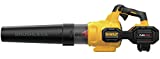

DeWalt is one of the best-known brands in the power tool industry. This includes a wide range of battery-powered tools and appliances. Like the
DeWalt DCBL772X1 60 Volt electric leaf blower which includes a 3 Ah lithium-ion battery and a charger in the purchase. This batter is also compatible with many other battery-powered devices in their line. This adds to the value for people who have brand loyalty toward the DeWalt line of battery-powered tools.
The DeWalt DCBL772X1 and move an impressive 600 CFM of air at up to 125 MPH. Technically, this is very strong for a battery-powered electric leaf blower. It was designed with variable speed controls as well as a “Speed Lock” cruise control feature. A single full battery charge has a maximum runtime of up to 30-minutes, and the 3Ah lithium-ion battery in 30 to 45 minutes.
Sun Joe does their best to infuse their product line with innovation as well as the kind of value that is appealing to people who are working with a limited budget. The
Sun Joe SBJ597E-SJB has a corded 6-Amp electric motor that can move a 260 CFM air volume at a very brisk 155 MPH
Yet this little leaf blower only weighs in at 3.9 pounds. Which means it’s going to wear out your arm or shoulder while still providing you with the power to tackle the leave in a small yard or blow away grass clippings after you are done cutting the grass. All at a price that won’t leave you with “Buyer’s Remorse.”
The
Husqvarna 150BT was designed to appeal to professional lawn care companies as well as homeowners who prioritize high-quality lawn care equipment. This backpack leaf blower has a 50.2cc 2-cycle gasoline engine designed with Husqvarna’s proprietary X-TORQ technology and a special air purge feature.
These characteristics make it easy to start, as well as improve fuel efficiency by up to 20%. At the same time, it also reduces exhaust emissions by up to 60%.
All this power gives the Husqvarna 150BT the ability to move air volume of up to 434 CFM at an incredibly fast 251 MPH velocity. This gives it the power to blow away leaves, light lawn debris, grass clippings, and even mulch.
The Husqvarna 150BT has a padded back panel on the backpack with padded, adjustable shoulder straps. It’s also been engineered to minimize the amount of vibration that is transferred from the engine to the operator.
There are a lot of different takes on the leaf blower concept. Some even include vacuum features that suck in and grind up leaves and small pieces of lawn debris. The best way to filter out the wide range of leaf blower options is to break them down by the benefits of gasoline or electricity.
Gasoline and electric leaf blowers both have their own strengths and weaknesses. This makes the power source a good starting point for filtering your options. With both, we tried to narrow the field with respect to the factors that make them attractive.
With a gasoline-powered blower, you have the luxury of power, which translates into the ability to move a higher volume of air at a greater speed. This is often represented by CFM (Cubic Feet per Minute) over 250 and MPH (Miles Per Hour) air velocity over 130. Which is the sort of numbers you need to do things like move light mulch, thick piles of leaves and clumps of grass clippings.
Of course, all this power also means that gasoline engines weigh nearly double or more than their electric counterparts. Most also have 2-cycle engines that need mixed gas at a specific ratio. If you get it wrong and the fuel is too lean, it can score the piston or cause overheating issues. If it’s too rich with oil it can cause excessive smoking, gum up the carburetor or severely affect the spark plug’s performance.
Electric leaf blowers tend to have lesser CFM and MPH ratings. Though there are some high-quality units that have surprising power for their size. Electric leaf blowers also tend to be much lighter. They also don’t produce any noxious exhaust. Not to mention the maintenance needs of an electric leaf blower are next to none.
Unfortunately, corded electric leaf blowers are limited by the extension cord. Which is usually 50-feet or less. Battery-powered leaf blowers have a better range for a large yard, but limited run time. To try to help get around this problem, we tried to keep an eye out for battery-powered leaf blowers by popular manufacturers who offered other tools that used the same interchangeable batteries.
We also tried to keep in mind that there are leaf blowers that also have a lawn vacuum mulcher function built into them. A fair number of these also have accessory gutter cleaning devices that are an extra purchase but will also spare you the risk of climbing up a wobbly ladder.
One of the biggest benefits of a mulcher/vac function is that the leaves and small pieces of lawn debris are sucked up and ground into bits by an internal auger. It’s then deposited in a storage bag, that you can either add to your compost pile or condense into a yard waste bag.
Some of the better-designed blower/mulcher/vacuums can reduce leaves down at a 16:1 ratio. Meaning what would normally fill 16 standard yard waste bags can be reduced down into one, by reducing the air space.
The counterpoint against leaf blowers with a mulcher/vac feature is that the suction is sometimes strong enough to suck up something large and hard, which can jam the internal auger or damage it. So, we tried to look for mulcher/vac leaf blowers that had a metal auger which significantly reduces jams and risk of internal damage.

Specs:
Poulan Pro is one of the most trusted names in lawn care appliances, tools, and equipment. They have both gas and electric powered leaf blowers. The Poulan Pro PR48BT gets its power from a 48 cc 2-cycle gasoline engine that needs a 50:1 mix ratio.

The Poulan Pro PR48BT blows at up to 200 MPH with 475 CFM of force. This is more than enough to move a substantial pile of leaves, blow away grass clippings, and even send stray wood chips back into their landscaping bed after a storm.

The backpack itself weighs just a little over 20-pounds and has adjustable padded straps for superior comfort. The control handle is designed for ergonomic comfort and has a variable speed trigger. There’s also a cruise control feature that lets you see one specific speed and maintain it without having to constantly squeeze down on the trigger. This is a great feature for big jobs like clearing away grass clippings on a large yard.

Poulan Pro backs this gas-powered leaf blower with a 2-year warranty.
The 200 MPH and 475 CFM represent the kind of power you can enjoy from a gas-powered leaf blower. Only weighing in at 22 pounds with compression straps mean you can wear this pack comfortably for a long time without fatigue.
The Poulan Pro PR48BT Is well designed, with enough power and comfort to handle professional use. It’s covered by a two-year warranty, which demonstrates Poulan’s confidence in their quality and material selection. Just bear in mind that it doesn’t have any sort of vacuum function.

Specs:
Sun Joe is a fast-growing lawn equipment manufacturer who embraces innovation, while also trying to provide customers with a friendly price tag. Their SBJ597E-SJB 6-Amp 155 MPH Electric Leaf Blower is powered by an extension cord.

It’s rated to move up to 260 CFM at up to 155 MPH, which is on the powerful side for an electric leaf blower. At the same time, it only weighs in at 3.9 pounds. So, it’s not going to wear out your arm or shoulder.

The 260 CFM at 155 MPH from a 6 Amp electric is relatively strong for such a light leaf blower.
This is a great value electric leaf blower for people with a limited budget. There isn’t any sort of cord lock or holder feature, and the plastic exterior housing might not survive an accidental drop. Still, you can’t argue with the friendly price tag and the overall power the Sun Joe SBJ597E-SJB electric leaf blower produces.

Specs:
Greenworks is another fast-growing company in the lawn care industry. They have an expansive line of electric battery-powered lawn care equipment that uses the same 4.0 Ah lithium-ion batteries like the 24212 electric leaf blower. This blower is rated to move up to 135 CFM at 150 MPH, which is technically on the weak side for a leaf blower. Especially when you compare it to the specs of a gas-powered leaf blower.

Still, it’s enough to move a light amount of leaves or loose grass clippings. The sweeper tip accessory that is included with the Greenworks 24212 Cordless Leaf Blower helps concentrate the airflow, which makes it more powerful in real life than it looks on paper. It also has a variable speed control.
The 4.0 Ah battery’s ability to be interchangeable with other Greenworks devices, makes it handy for people who are loyal to the brand. On its own, a single battery can last up to 28 minutes on a single charge and take approximately an hour to recharge.
It’s also worth noting that the charger is not a “Smart Charger.” So, keep an eye on it while recharging. If you frequently overcharge this type of battery it can decrease the overall lifespan.
The fact that you can interchange the 4.0 Ah lithium-ion battery with other lawn care tools in the Greenworks line is handy. Especially for people who already own multiple Greenworks power tools.
The sweeper tip also helps maximize the airflow that this somewhat under-powered leaf blower produces.
The Greenworks 24212 40V 150 MPH Cordless Leaf Blower arguably has increased value for brand-loyal homeowners who need to maintain their lawn. While it might look at a little bit on the weak side on paper, the sweeper tip does help concentrate its power more effectively.

Specs:
Toro is one of the long-term leading names in the lawn equipment industry. They have decades of experience engineering products for maximum effectiveness and versatility. You see this really shines through with their Toro 51619 Ultra Electric Blower/Vac combo.

It’s powered by a 7.0 Amp electric motor, which moves an impressive 350 CFM volume of air at 250 MPH when it’s set to blower mode. It also has a robust 410 CFM rating when set to vacuum mode. It also has a heavy-duty metal impeller that chews up lawn debris with a decreased risk for damage and jams.

88% of the leaves and lawn debris that reaches the metal impeller is ground up into a half-inch piece. It’s then deposited into a cloth bag with a convenient bottom zipper. You can quickly switch from blower to vacuum thanks to quick-release attachments.

It’s also worth noting that Toro offers a gutter cleaning attachment kit that will fit the 51619 Ultra Electric Blower/Vac. It’s relatively inexpensive and allows you to clean your gutters without having to mess around with wobbly ladders.
The 350 CFM volume of air at 250 MPH in blower mode is very impressive for a corded electric leaf blower. The 410 CFM rating in the vacuum mode is also very strong. You also have to give a big thumbs up to the metal impeller which does a great job of grinding up lawn debris without jams or internal damage.
If you are looking for an electric blower/vac combo with the robust statistics to handle everything you throw at it, then it’s hard to ignore the Toro 51619 Ultra Electric Blower/Vac. While you’re at it, you might want to also put the gutter cleaner in your cart.
Sale

Toro 51619 Ultra Electric Blower Vac

Specs:
The WORX WG512 Trivac is a 3-in-1 lawncare device. It can be set up as a blower, or a mulching lawn vac via a single, easy-to-use dial. When set as a mulcher-vac the metal impeller has a 16:1 ratio. Meaning that in Worx tests of the Trivac the mulching feature was able to reduce 16 bags of loose leaves into a 1-bag volume.

The 12 Amp electric motor requires an extension cord. It’s engineered to move an impressive 600 CFM volume of air. Though it only has a speed of 70 MPH, which is a little low compared to many of its close competitors.

The benefit of this is seen in the two-speed modes. When set to low speed it helps you better control the flow of the leaves over smooth surfaces like sidewalks, pavement, and driveways. If it’s set too high, the MPH tends to scatter leaves.

The mulcher relies on a durable metal impeller and has a 16:1 mulching ratio.
The ability to quickly change from blower to vacuum with a single dial is handy. The 16:1 mulching ratio also helps you save on bag space, which is really nice if you live in the city and have to pay per bag. Taken in that light, the WORX WG512 Trivac could pay for itself over the course of two autumn seasons.
The 70 MPH rating of the WORX WG512 Trivac looks like a small red flag. What it’s really telling you is that this blower/vac and mulcher combo is dialed into keeps suburban yards clean. It’s not necessarily geared for a professional lawn care company that needs to blow out grass clippings and cleanup scattered mulch after a big storm.

Specs:
You might look at the CRAFTSMAN BV245 with its 27cc 2-cycle gas-powered engine and think that it’s an ergonomic nightmare. Once you get your hands on it, you’ll find that Craftsman made a real effort to design it to be easy to use, despite the inherent weight that comes with a 2-cycle engine block.

In fact, it only weighs in at 10.2 pounds, whereas a lot of gas-powered blowers with similar statistics weigh closer to 20-pounds and need to be mounted in a backpack. Craftsman also designed the BV245 with a variable speed throttle and vibration reduction to minimize the impact on your arm and shoulder.

It’s meant to be used more as a blower than a vacuum, but it still does include the lawn vac accessories in the purchase. It’s rated to move an impressive 450 CFM at a brisk 205 MPH.

Craftsman also installed its proprietary “Easy Start Ignition System” which you see on a lot of their successful gas-powered devices. You simply prime the engine, choke, and then pull the drawstring for a very reliable start.
If you do want to use it as a vacuum, you need to change over the attachments manually. It then has a mulching ratio of 16:1, which means it can reduce a traditional 16 bags of leaf litter into just 1 bag.
The fact that the Craftsman BV245 is a gas-powered hand-held blower instead of a backpack is somewhat rare in this niche. You see this in the superior power of 450 CFM moving air at 205 MPH.
This is one of the heavier hand-held leaf blowers on the market, just by virtue of its 2-stroke gasoline engine. Still, at 10.2 pounds it’s not prohibitively heavy and offers a trade-off of superior power over its electric cousins. If you have shoulder and upper back problems, the Craftsman BV245 might not be the best for you.

Specs:
Husqvarna designed it 150BT to cater to professional lawn care companies and homeowners who want a powerful, yet easy-to-use leaf blower with comfort built-in. It’s powered by a 50.2cc 2-cycle gasoline engine with its proprietary X-TORQ technology and air purge feature.

This makes it easy to start, while also improving fuel efficiency by up to 20% and reducing exhaust emissions by an impressive 60%.
The power the Husqvarna 150BT generates translates into a movable air volume of up to 434 CFM at a blistering 251 MPH. This is more than enough airflow capacity to blow away leaves, light lawn debris, and grass clippings. It even has enough strength to blow away sand and mulch.

The backpack itself has a comfortably padded back panel with padded, adjustable shoulder straps. The Husqvarna 150BT was also designed to minimize vibration from the engine to the operator.
The 434 CFM and 251 MPH produced by the Husqvarna 150BT’s 50.2 cc 2-cycle gasoline engine delivers professional-grade power for maximum versatility. The fuel efficiency and exhaust reduction of the X-TORQ engineering are also very convenient.
The padded back panel and adjustable padded shoulder straps with minimized vibration is also a nice touch.
The Husqvarna 150BT is a truly professional leaf blower that can also impress homeowners with the budget for a truly premium blower. It does all this weighing in at a comfortable 22.5-pounds.

Specs:
DeWalt is one of the giants in the power tools industry, with a wide range of battery-powered tools and Jobsite appliances. Many of which run off the same type of 60 Volt 3 Ah lithium-ion battery that you find in the DEWALT DCBL772X1 leaf blower.

The 60-Volt electric motor can move up to 600 CFM, at speeds up to 125 MPH. This is incredibly strong for a battery-powered electric leaf blower. It also has variable speed controls as well as a “Speed Lock” cruise control feature. It has a potential runtime of up to 30-minutes, which is usually sufficient for clearing a small to medium-size yard.

There is a battery charger included in the purchase. It typically recharges the 3Ah lithium-ion battery in 30 to 45 minutes.
The 600 CFM air volume at 125 MPH is exceptionally powerful for a battery-powered electric leaf blower. It’s also nice that DeWalt includes a 3 Ah lithium-ion battery and charger in the purchase. It especially adds to the value if you are also a fan of the DeWalt line and own other 60 Volt appliances to repurpose the battery.
The DeWalt DCBL772X1 is a very well-designed leaf blower with the quality materials you expect from an industry leader like DeWalt. It can move a serious volume of air in a single minute at speeds that you usually only see in gas-powered leaf blowers.
If there’s a complaint with the DeWalt DCBL772X1 it’s that it weighs in at 9.1 pounds which can wear out your arm and shoulder during the course of clearing a large yard.
Many people think of a leaf blower as being something that sits around in the garage collecting dust 10-months out of the year and only sees’s the light of day when it’s time to clean up fall leaves. Taken in this light you could even start to develop an unconscious resentment towards a leaf blower for taking your time away from watching fall football games.
Yet a leaf blower can be used for much more than simply getting autumn leaves out of your way. In fact, if you look at a lot of serious landscaping and lawn care companies, you will find leaf blowers are a part of their arsenal for much of the year. It’s all in how creatively you want to use it.
In the spring a leaf blower can be used to clear out the last scraps of leaves and other organic debris that ended up in your yard right before the first snowfall. As things start to green up your leaf blower could even help blow away grass clippings. This is especially handy for preventing thatch build-up, while also helping your lawn to look tastefully manicured.
There are even companies out there that offer special attachments that you can use to help repurpose a leaf blower to clean the gutters. If you’re a little bit handy, there are even videos on the internet that can teach you hot to do this yourself with some PVC pipes, a few clamps, and of course, copious amounts of duct tape.
Now, you might also be surprised to hear that for a device that just basically creates a strong blast of air, there are some key features that come into play. Dialing in the right priorities for how you are most likely to it will go a long way toward helping you find the best leaf blower for maintaining your yard.
Most leaf blowers are powered by either small a gasoline engine or a compact electric motor. Each one has its own benefits and drawbacks.
Right off the bat, gasoline-powered leaf blowers tend to be more powerful than their electric counterparts. They also tend to have higher CFM and MPH ratings, which means they can move more total cubic feet of air per minute at a higher rate of speed.
The drawback here is that they tend to be heavier to lug around and they need more routine maintenance. Oil changes, cleaning air filters, and the inevitable problems that come from carburetors with spark plugs can eat up your time. It also gradually adds to the overall long-term cost of ownership.
An electric leaf blower only requires a minimal fraction of maintenance compared to a gasoline engine. They also tend to start more reliably. Unfortunately, many of them require you to be connected to some type of power source, which can limit your overall range. Not to mention the fact that you will inevitably end up with a nasty tangle in an inconveniently long extension cord.
It’s worth noting that there are some battery-powered electric leaf blowers on the market. Unfortunately, they tend to be a little on the weak side, and even the best ones are only capable of running for a short amount of time. This makes them only truly viable for people with very small lawns.
In the past, electric leaf blowers were considerably quieter than their gasoline counterparts. Though recent improvements in small gasoline motors have now moved some of them arguably closer when it comes to noise levels.
Now that you have a better idea of the pros and cons of gasoline versus electric leaf blowers, you can now move on to how the power plant and other hardware components are mounted.
With electric, corded leaf blowers, you are usually looking at a lightweight handheld unit. At most you might have to sling your extension cord over your shoulder, just to keep it out of your way.
Battery-powered electric leaf blowers tend to be a little bit heavier, due to the dense weight of the batteries. With these, you might want to lean toward a backpack model. It spares your arm and also helps balance out the weight on your back.
Gasoline-powered leaf blowers are almost always mounted to some type of backpack. Preferably one with padded adjustable shoulder straps and a sternum strap. In the past, these units might have been very heavy, but today they are relatively lightweight. Some of the better ones can feel comfortably balanced on your back and shoulder.
There are some leaf blowers that have a vacuum feature built-in. With these leaves and other small pieces of yard debris are drawn in and ground up by the internal impeller. The small bits are then deposited into a storage bag. There are some people who insist on these features, and other people who stay away from them.
Those who don’t like the vacuum feature talk about the propensity for the impeller to jam up when a stick finds its way through the system. For a larger yard, you also end up emptying the small bag frequently. However, the way they are ground up also makes the pieces a nice way to add carbon to your compost pile.
A: When it comes to lawn care appliances and power tools, the manufacturer can be an important factor. It’s at least a good place to start. Afterall the big-name manufacturers got where they are by doing it right over and over again each year. This includes names like DeWalt, Echo, Ego, Husqvarna, Kobalt, Stihl Toro and Weed Eater.
A: A lot of gas-powered leaf blowers have a two-stroke engine. The benefit here is that you don’t have to perform any routine oil changes. This is because the oil is mixed right in the gasoline and actively lubricates it throughout the combustion process. It’s also worth noting that the oil used is not the typical 10W30 that you put in your car.
The problem is that the art and science of mixing two-cycle oil and gasoline are slowly being lost to the simplicity of modern life. The mixing process itself is relatively straight forward. Just make sure that you are doing the mixing in a gas can. You should never attempt to mix in the leaf blower’s fuel tank!
Double-check your model to make sure you know the mix ratio. Not all leaf blowers use the same 2-cycle oil to gas ratio. If you mix it too lean, meaning there’s not enough oil, it could score the piston or damage the internal workings of the motor. If you mix it too rich, meaning there’s too much oil it could cause misfires, excessive smoke, and possibly cause carburetor or spark plug problems.
Fortunately, there are some leaf blower manufacturers who are aware that mixing oil and gas at specific ratios can be tricky for some people. Rather than risk driving you away from their gas-powered leaf blower toward electric, they will offer special little oil bottles that are at just the right volume. Usually, you pour one little bottle into your gas can, followed by one gallon of premium unleaded gasoline.
The act of filling the gas is usually sufficient for mixing the oil properly. Just make sure the oil is in the can first. If you let the can sit for a day or more the oil and gasoline inside can start to separate a little, but a gentle slosh should be enough to blend them again.
It’s a good idea to mark the gas can with a permanent marker. Make sure to note that it’s mixed, and at what ratio as well as the name of the device. You don’t want to accidentally use the leaf blower’s mixed gasoline in the chainsaw if they both need a different ratio.
A: On the face of it, you want to see at least one year of warranty coverage from a leaf blower you are considering. For the most part, if there are any factory defects or manufacturing problems, they should show up in the first 12-months. Anything more than that shouldn’t be the tipping point of one leaf blower over another.
A: You see these technical terms mentioned with some leaf blowers. CFM stands for Cubic Feet per Minute, which is a rating based on the amount of air moved by the blower in one minute. Ideally, you want to see an CFM rating around 300 for doing things like moving a significant volume of leaves or being able to blast grass clippings off your landscaping mulch.
MPH stands for Miles Per Hour, which as you can imagine is the speed measurement of the air coming out of the blower. This also impacts the overall velocity that you can move lawn debris. You want to see both of these numbers being relatively high. If one is low and another is high, it’s likely a warning sight of less than stellar engineering.
A: There are some people who love leaf blowers with a vacuum feature for its ability to clear small areas and grind yard debris into small pieces for the compost pile. Though there are some people who are against the vacuum function and stay away from the slightly higher price tag of blower/vacs.
One of the big criticisms of blower/vacs is that the internal impeller can jam up, or even break pieces off, which leads to an even more costly repair. One way around this is to look for a blower/vac that specifically states it has a metal impeller, which is far less likely to fracture of jam.
A: Some small electric leaf blowers might seem quiet. There are even some manufacturers who will talk about how quiet their leaf blowers are in marketing terms. Yet even the most well-designed and quiet leaf blowers still make enough noise to damage your hearing. Especially if you are going to be using it for long periods of time.
It’s best to invest in some quality ear protection like 3M Peltor Optime 98 Over the Head Earmuff or Walker’s Hearing Protection and make a point to wear it at all times while operating a leaf blower. While you are at it, you might want to also think about safety goggles or some other type of eye protection like AmazonBasics Glasses or XAegis Tactical Eyewear. The high-velocity air produced by a leaf blower can do funny things to lawn debris when it deflects of landscaping and retaining walls.
There are a lot of options out there for leaf blowers and blower/vac/mulcher combos. Whittling them down can be a little bit of a challenge.
If you are a professional landscaping or lawn care company looking to expand your services, then you might want to lean toward one of the gas-powered backpack models. Recent improvements in engineering quality and design have made these units more comfortable as well as more efficient than their predecessors.
If you are a homeowner, with a modest yard, then a lightweight electric leaf blower, is probably going to be more on your radar. At that point, you will have to evaluate whether you want to go with a corded model or battery-powered leaf blower.
This decision can sometimes come down to a basic matter of dimensions. Most people don’t want to lug around an extension cord that’s longer than 50-feet. Not to mention extreme lengths beyond 100-feet could cause the blower to experience a power loss. So, if you need to go more than 50-feet, you might want to lean more toward a battery-powered leaf blower. Preferably one that comes with a battery charger included in the purchase.
Dancing in the gray area here is the realm of the leaf blower and mulching vacuum. They are handy for reducing the overall volume of you leaves you to need to bag and can even help clean up other pieces of lawn debris. Just make sure to double-check that it has a metal impeller. Otherwise, you might end up with a nasty jam o your hands, right when you don’t want it.
Regardless, whatever your needs and the size of your yard, there is certainly a quality leaf blower or blower/vac on this list for you.
Product Boxes: Last updated on 2020-08-06 / Affiliate links / Images from Amazon Product Advertising API
Disclaimer: Prices might fluctuate due to the current situation.

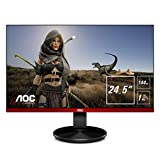
AOC G2590FX 25″ Frameless Gaming Monitor
The
AOC G2590FX Frameless Gaming Monitor has a 24.5-inch frameless display with 1920 X 1080 resolution. It’s also engineered with 1ms, at a 144 Hz refresh rate with up to 20-levels of gray. These basic technical specs mean it’s definitely up to the task of handling some serious gaming. Though some special features do help set it apart from some of the competitors.
This includes AOC’s proprietary “Dial Point” which provides you superior accuracy for first-person shooters. The G2590FX has a special “Clear Vision” feature which is designed to covert SD content to HD quality images. This is especially nice if you have an old retro console around that you like to get nostalgic with.
When the AOC G2590FX is paired with an NVIDIA graphics card it’s compatible with G-Sync. It was also engineered to be “Flicker Free” and has a low blue light mode that helps to reduce eye strain for marathon gaming.
The
Sceptre C248W-1920R is surprisingly affordable for a curved gaming monitor. You get the sense that it was specifically designed to appeal to gamers on a tight budget, who still don’t want to sacrifice visual quality. It also has multiple connection ports for HDMI, VGA, and PC as well as a display port
The curved display measures in at 24-inches to produce a more immersive viewing experience. It also has two built-in speakers that help enhance the audio experience, as well as additional audio ports. The sacrifice to make the price so low is that it only has a 75 Hz refresh rate. Even though it isn’t on the high end of what’s out there, it’s still respectable.

Acer Gaming Monitor 27” Curved ED273 Abidpx
The
Acer ED273 Abidpx is a high-quality curved gaming monitor that pushed right up to the limit of what you can buy for under $200. It measures in at 27-inches with 1080p resolution and it has a 144 Hz refresh rate which produces nearly cinematic quality images.
The Acer ED273 also offers a 178-degree viewing angle on both the horizontal and vertical. The mount is included in the purchase and it lets you tilt the gaming monitor by up to 15-degrees for a customized viewing experience.
This gaming monitor comes with a display port, as well as an HDMI port and a DVI port. This means you can potentially connect multiple devices at one time without having to waste a lot of time unplugging and plugging every time you want to switch to a new console.
Its also worth noting that this gaming monitor comes with Acer’s proprietary VisionCare Technologies which was designed for a flicker-less viewing experience and also includes a special Blue Light Filter, as well as low-dimming technology. This further helps reduce eye strain during marathon gaming sessions.
Manufacturing and tech improvements have helped high-quality gaming monitors to come down in price to the point where you can get a nice unit for under $200. Though in some cases, manufacturers have given into the temptation to cut a corner here and there.
The refresh rate is a major criterion, that ranks up there right alongside resolution. We tried to filter out anything that was under 75 Hz. Ideally, 144 Hz was even better, but for a gaming monitor under $200, it’s pretty hard to find anything with a higher refresh rate. 1ms response rate is also somewhat standard, if not on the cutting edge for the best gaming monitors under $200.
When it comes to resolution, 1080p or the relative equivalent was also a key factor. Sure 4K is growing in popularity and availability as the way of the future. Unfortunately, it also tends to drive up the price, which makes it hard to keep your gaming system on a budget.
Curved versus flat is also a key consideration that deserved to be weighed in on during the review process. In the past, a curved monitor usually landed outside of the $200 price range. It’s only been recent that they’ve come in reach of gamers working with a limited budget.
The advantage of a curved monitor is that you get a more immersive experience. If you’ve got a little bit more of a budget to play with, or you come into some money later on down the road, you can even link several of them together to make you feel like you’re inside the game. The downside of a curved monitor is that most of them feel awkward for times when you might want to play against a friend. It’s a little hard to share the same curved gaming monitor if you’re saying in a dorm room.
With a flat-screen gaming monitor, it’s much easier to have two people sit reasonably close together to play at the same time. Flat gaming monitors also tend to be a little lower in price, which can save you some money if you’re working with a slim budget.
Connectivity and ports are also something we kept an eye out for. HDMI is sort of the standard now, though VGA still has a place in the gaming monitor world. Coming up fast and gaining traction is the display port, which allows you to connect a wider range of devices. When a unit had multiple connection ports we naturally moved it up the list for the simple fact that it spares you the hassle of unplugging and plugging in different consoles or devices when you want to use them.
Audio ports are also a nice touch as they let you connect to secondary speakers or even tap into a home audio system. Though most gaming monitors these days do come with some speakers built-in. You shouldn’t be overly dismayed if the wattage output of those speakers is a little on the low side. Especially when you consider that you’ll likely be sitting rather close to the gaming monitor.
These are somewhat new technologies that are growing in demand. Right off the bat blue light reduction helps reduce eye strain, which is a big deal for marathon gamers. At the same time, there’s a growing body of research that points to excessive blue light exposure in the evenings contributing to certain sleep disorders.
A gaming monitor under $200 that also has some type of auto-dimming was something we saw as an added feather in the cap. While it’s not a make-or-break it type of feature, a lot of gamers do end up playing in low light conditions or a dark room. Bringing down the brightness output of the monitor by a miniscule 10 to 15% helps to reduce eye strain, while also making it easier to see what’s going on in the world around you.

Specs:
The ASUS VG245H attempts to marry a very friendly price point to the kind of essential features you want to find in a gaming monitor under $200. It measures in at 24-inches on the diagonal and displays images at 1080p resolution.

On the side, you will find dual HDMI ports, which is nice if you are using it for more than one device or console. It spares you having to constantly switch back and forth if you have more than one console.

ASUS designed this gaming monitor with a 1ms response time and a refresh rate of 75 Hz. On paper, the frame rate is a little bit on the low side for a gaming monitor. Especially when you consider that some of the competitors have a 144 Hz refresh rate.
However, they compensate for this with their “Game Fast Input Technology” which helps to reduce input lag while making for better combos and in-game effects. The ASUS VG245H is compatible with AMD FreeSync technology which further helps to eliminate screen tearing as well as things like choppy frame rates.
The ASUS VG245H gaming monitor also has 6 pre-set display modes that are kinked to an OSD hotkey. With the single press of a button, you can cycle through different visual settings to find the one that is right for the visual dynamics of the game you are playing.
This gaming monitor was also engineered with “Eye Care” which essentially reduces blue light. While you might not notice the impact in the course of a single short session, it can help reduce eye strain for marathon gaming sessions.
The 6 preset display modes that are also linked to a single “OSD” hotkey is convenient, especially if you are taking advantage of the dual HDMI ports to switch between multiple consoles and/or games.
The “Eye Care” blue light reduction is also a nice touch. Especially for marathon gamers, or individuals who have noticed a link between late-night gaming and troubles falling asleep.
If you have multiple consoles and you want to be able to quickly switch from one to the next, or you want to be able to quickly optimize your visual experience, then the ASUS VG245H deserves to be on your radar. True the 75 Hz frame rate is a little on the low side, but this is compensated for in devices using a compatible AMD graphics card.

ASUS VG245H 24-inch Full HD 1080p

Specs:
The AOC G2590FX measures in at 24.5-inches on the diagonal and is considered “Frameless.” It has a 1920 X 1080 resolution with a nice 1ms, 144 Hz frame rate. It also has 20-levels of gray.

Beyond the nuts and bolts technical components you’ll also find some special features that might be appealing if you like playing first-person shooters or you have a retro console that you still love to play. Their proprietary “Dial Point” was designed to give you superior accuracy for FPS and other games with first-person simulations.

AOC also has what they call “Clear Vision” which is designed to covert SD content to HD quality images. This is nice for times when you might want to use a retro console, or you have some other older device that you want to connect to the gaming monitor.
When the AOC G2590FX is paired with an NVIDIA graphics card it’s compatible with G-Sync. It also has a “Flicker Free” low blue light mode that helps to reduce eye strain. It’s particularly nice for marathon gamers.
The Dual Point functionality certainly appeals to FPS gamers. You also have to like the Clear Vision feature for times when you might want to pull out a retro console.
There’s a lot to like in the AOC G2590FX technical specs. If you already have a new NVIDIA graphics card, and you like first-person shooters or you have a retro console that you’d like to dust off for a few more goes, it probably deserves to be floating near the top of your list.
AOC G2590FX 25″ Frameless Gaming Monitor

Specs:
The Sceptre E255B-1658A is a 24.5-inch backlit LED gaming monitor with a 16:9 aspect ratio. It has a 1ms at 165 Hz refresh rate which makes it capable of handling action games and movies with little-to-no ghosting or blurred edges.

Connectivity is a nice little bonus with the Sceptre E255B-1658A. Not only does it come with two HDMI ports, but it also has a “Display Port.” This is an increasingly popular option for people who want to quickly connect multiple devices to the same gaming monitor.

Sceptre also engineered this gaming monitor with an Anti-Flicker feature. This shows some thoughtfulness in design as backlit LED monitors are sometimes prone to momentary flickering. Especially with dynamic fast-changing graphics.
The dual HDMI ports and the display port let you use the Sceptre E255B-1658A as the beating heart of a multi-console or multi-device gaming system. The Anti-Flicker is also a nice touch.
The Sceptre E255B-1658A means is arguably geared for you to be sitting at your desk rather than say back in a chair at a distance. It doesn’t have the blue-light reduction that some of the competitors do, but some gamers feel this is a relative non-issue.
The 165 Hz refresh rate and the anti-flicker features are nice for fast-paced games and movies. The dual HDMI ports and the display port also lets you keep multiple devices connected at one time, without having to constantly physically switch between them.


Specs:
The Acer XFA240 measures in at 24-inches on the diagonal and is a full HD widescreen with 1920 X 1080 resolution. It has a 1ms response rate and 144 Hz. It’s also G-Sync compatible with tear-free smooth gameplay. This gaming monitor also comes with a pair of two-watt speakers for added immersive sound.

The stand is impressive for a gaming monitor under $200. A lot of manufacturers at this price point will cut corners on the stand to stay in the budget range. This stand is adjustable in height and can also pivot and tilt. The display also has an impressive 170-degree viewing angle on the horizontal plane and 160-degree viewing angle on the vertical plane.

The Acer XFA240 has a variety of connection options. It’s engineered for maximum performance when you connect via the display port. Though it also has an HDMI port and a DVI port. Depending on your hardware, you could potentially connect three devices, and switch them out as needed.

This gaming monitor was also designed with Acer’s “VisionCare Technologies” which integrates several components to reduce overall eye strain without muting the visual performance. This includes their “Low Dimming Technology” which effectively reduces the brightness by up to 15% when the lights in the room are turned off or dialed low.
As simplistic as it might sound, the adjustability of the stand is impressive. A lot of manufacturers cut corners with the stand to ring in at a lower price. The horizontal and vertical viewing angles are also wide enough that you can have another person gaming with you in the same room without one of you feeling left out or off to the side.
The Acer XFA240 is a nice option for two people who want to game together, or for adjusting the monitor to best fit the room and seating options. The refresh rate and visual quality don’t disappoint. If something is missing, it’s the lack of some sort of blue light reduction. Acer does try with their VisionCare Technologies, but it’s half a step behind the blue light reduction systems you see in several of the competitors.

Specs:
Just a few years ago the technology behind curved displays tended to drive the price up. Thankfully, manufacturers have started to be able to offer this more immersive screen shape at more reasonable prices. You see this in the very friendly price tag of the AOC C24G1.

It measures in at 23.6 “Frameless” inches. The shape of the curvature still allows for an impressive 178-degree viewing angle on the vertical and horizontal plane. This also means that while it’s meant to be immersive for a single person, there’s still enough viewable space for two gamers without one feeling completely left-out or off to the side.

It comes with an adjustable stand. The gaming monitor also has a VGA port, a display port, and a pair of HDMI ports. This means that you can potentially connect a variety of devices at one time, without having to constantly unplug and plug the console you want to use.

It’s also worth noting that the AOC C24G1 has AOC’s low blue light mode and reduced flicker. This reduces eye strain during marathon gaming sessions and gaming before bed. It also has AMD’s FreeSync display to eliminate screen tearing, stutter and input lag.
The curved shape with the 178-degree viewing angle is a nice touch at this price point. AMD’s FreeSync is also a nice touch for certain PC gamers.
For a curved frameless gaming monitor, there’s a lot to like with the AOC C24G1. If you like to marathon game, or you’ve noticed sleep quality issues from gaming with a standard blue light monitor this gaming monitor needs to be on your radar.


Specs:
The Acer ED273 Abidpx is another high-quality curved gaming monitor. At 27-inches with 1080p, it pushes right up to the limit of what you can get for under $200.


It has a 144 Hz refresh rate which produces stunning, nearly cinematic quality images in a 16:9 aspect ratio. This gaming monitor also offers a 178-degree viewing angle on both horizontal and vertical access.


The mount also lets you tilt the gaming monitor by up to 15-degrees to customize it to where you are sitting. It comes with a display port, HDMI port, and a DVI port to connect multiple devices at one time.


The ED273 Abidpx was also designed with Acer’s VisionCare Technologies for a flicker-less viewing experience with a Blue Light Filter, as well as low-dimming technology. The net effect is far less eye strain for marathon gaming sessions.
The fact that you can get a 27-inch curved display gaming monitor for under $200 is impressive in-and-of-itself. The VisionCare Technologies are also nice for reducing eye strain or times when you want to put in a few hours at the console right before going to bed.
This is an impressive gaming monitor that rides the line of what you can get for under $200. It would be nice if there was an additional HDMI port or more height adjustability in the stand, but those are very minor complaints.
Acer Gaming Monitor 27” Curved ED273 Abidpx

Specs:
Curved gaming monitors have come down in price in recent years to the point that there are a few that are well under $200. The Sceptre C248W-1920R is one such display that was designed to appeal to gamers who need a quality gaming monitor, who also have a tight budget.

The 24-inch monitor is curved to create a more immersive viewing experience. Two built-in speakers enhance the ambiance, with additional audio ports.

The display itself has a 75 Hz refresh rate, which is a little on the low end of the spectrum, yet still respectable.

There are even multiple connection ports for HDMI, VGA, and PC as well as a Display Port.
The multiple ports let you connect more than one device, or if you prefer you can use it as your home office monitor during the day and gaming monitor at night.
There aren’t a lot of bells and whistles with the Sceptre C248W-1920R, and the 75 Hz refresh rate is a little low, but so is the price. If you have a tight budget for your gaming monitor, this might just be the best of both worlds.

Specs:
The Viotek GN27DB is another curved gaming monitor with a friendly price tag. To that end, it has a backlit LED display with a 1080p resolution and a 16:9 aspect ratio. The 4ms is a little slow but it makes up for it with the 144 Hz refresh rate.

It is compatible with AMD’s FreeSync for extra-smooth gameplay while also reducing visual distortion. It also has “Overdrive” which increases the response rate to 3.1ms. The GamePlus targeting crosshairs also helps with first-person shooters.

The Viotek GN27DB has a display port with the cable included as well as a 1.4 and 2.0 HDMI port. There is also a pair of built-in 3-watt speakers, and you can tilt the screen up to 15-degrees.
The little extras like Overdrive, AMD’s FreeSync compatibility, and the GamePlus targeting system are nice little bells and whistles that might move the Viotek GN27DB up your list.
The Viotek GN27DB is a good value gaming monitor under $200. It’s maybe a little slow response rate for high-speed action games, but otherwise, you get a lot of quality for the money.
There’s no doubt about it, a serious gamer needs to have the right gear. Sure, in the 1980s everyone was happy just to have a gaming console and a tube TV to plug it into. If you were lucky you only had to pull the cartridge out once an hour to give it a good couple slaps to get it to work right again.
Today the pace of modern gaming has evolved to embrace everything modern-day technology. This includes state-of-the-art gaming consoles, wireless controllers, blazing fast internet speeds, high definition sound, and visually rich gaming monitor.
Of course, all these things cost money, and unless you are a professional gamer, chances are you aren’t going to see a true return on your investment. Yet at the same time, you also don’t want to be that guy who’s getting outclassed running on last generation’s technology.
One of the biggest causes of “Buyer’s Remorse” for gamers is often from over-investing in a gaming monitor that later proves to not be worth its hefty price tag.
Balancing budget with high-quality features can be a little bit of a tightrope act. However, there are a few key characteristics that serve as a good starting point.
There is a little talked about relationship between viewing distance and monitor size. Some gaming monitors have an “Ideal” viewing distance. This can even become a foil against the notion that bigger is always better.
Let’s say you have a small apartment or a dorm room. It might be tempting to fill a wall with a monster monitor. While it might be impressive and even leave you with questions about eye strain, you might also notice it hard to visually keep track of the action at the periphery of the screen.
At the same time, a lot of people who go for a giant gaming monitor try to save money on a unit with less than high resolution.
If you will be sitting a little bit closer to the monitor you should permit yourself to go a little bit smaller, in favor of superior resolution or special features.
Of course, the resolution is the next natural step when shopping for the best gaming monitor for you. While 4K is certainly appealing and the way of the future. However, it does increase the overall price. If you are massaging your budget, you might find a good gaming monitor at an attractive 1080p resolution.
The monitor’s refresh rate is typically based on the number of frames per second. An average computer monitor for a desktop or laptop might only have a refresh rate around 60 Hz which might get the job done on paper but tends to have a noticeable amount of lag in the action. Especially for fast-paced games with rich video and high-resolution graphics demand.
This has spurred on rapid evolution in monitor refresh rates that go far beyond what a simple desktop monitor can truly handle on its own. When it comes to a gaming monitor you should consider your floor at 75 Hz and go up from there to possibly as high as 240 Hz.
Though as you can imagine, as the refresh rate increases, so do the price. Some gaming monitor manufacturers will offer a value-priced unit with a 75 Hz then will use special proprietary features to improve image quality and the ability to transition quickly.
A: In recent years a growing body of research has started to shed new light on the impact of blue light on the eyes as well as the human brain. There appears to be a direct correlation between excessive amounts of blue light causing headaches, contributing to eye strain issues, and even impacting certain sleep disorders.
Some physicians and neurologists encourage people to limit their blue light exposure from smartphone screens, monitors and other devices. This includes staying away from blue light within an hour or two of going to bed. Of course, this doesn’t wash well with avid gamers. So several gaming monitor manufacturers are now offering units that have some type of “Eye Care” or “Blue Light Reduction.” It has an even more profound impact on marathon gamers and people who like to squeeze in a few hours right before going to bed.
Many gaming monitors that have reduced blue light features also have other features to reduce eye strain. You might see this in terms like “Flicker Free.”
A: Several gaming monitors under $200 have enhanced graphics or special features that you can enjoy if you have an affiliated graphics card in your PC or console system. It’s important to note that most of the time these are enhanced features. As long as you have a reasonably up to date graphics card the gaming monitor will work. You will just have a superior experience if you do have a compatible graphics card.
A: An LED monitor generates the pixel colors directly from the light-emitting diode. With an LED-backlit monitor, the colors are generated by colors indirectly by filtering white light. An LED monitor that generates colors directly tends to be more energy-efficient. It also tends to produce superior image quality at a greater distance, which makes it a better option if you like to game from a couch or chair, rather than right at your desk.
In the past, if you wanted a quality gaming monitor, you had to be willing to pay top dollar. Recent improvements in tech and manufacturing efficiency have helped bring quality gaming monitors down in price to the point where you can get one that doesn’t leave you with a case of buyer’s remorse for under $200.
When choosing the best gaming monitor under $200 for you, take a moment to think about where you’ll most likely be using it, as well as who you might use it with. If it’s going to be you alone in your man cave, then you might want to lean toward a curved display screen. If you want to occasionally play against your roommate in your dorm, you might want to lean toward a flatscreen display.
Next, you can start filtering by resolution capability. While 4K might be sexy and likely will take over in the future, there’s no reason to turn your nose up at a respectable 1080p gaming monitor.
At this point, you can start filtering out by refresh or frame rate. 75 Hz should be your absolute floor. Any lower than that and you might as well just use an old desktop monitor. On the other end of the spectrum, it’s going to be a challenge to find a gaming monitor under $200 that has a refresh rate that’s more than 144 to 165 Hz.
You can often optimize performance even further by selecting a gaming monitor that is meant to be paired with your PC or other device’s graphics card.
Don’t turn a blind eye to blue light technology, anti-flicker features and other factors that might reduce eye strain. Not only are they handy for the ever-popular gaming marathon sessions, but they can also have a strangely positive impact on your overall sleep hygiene.
Product Boxes: Last updated on 2020-08-06 / Affiliate links / Images from Amazon Product Advertising API
Sale

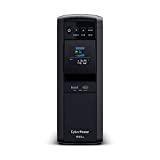
CyberPower CP1500PFCLCD Mini Tower
The
CyberPower CP1500 has a 1,000-Watt load capacity as well as 12 outlets. Of those outlets, 6 are reserved for battery backup with surge protection and the remaining 6 are surge protection only. This gives you the ability to make sure essential devices are powered in an outage, without having to worry about losing runtime to powering non-essential devices.
The CyberPower CP1500 a multi-function color LCD panel with the ability to tile it up to 17-degrees. This makes it easier to read if you want to keep the tower down low or in a hard to reach area. This UPS also comes with CyberPower’s Power Panel Management software which you can connect to a PC to help manage the system at a glance.
Amazon’s concerted push to make its presence known in the consumer electronics market includes a wide range of devices designed to cater to various needs. The
Amazon Basics Standby has a 450-Watt load capacity which caters more to homes and single office workstations.
Yet it still does have an impressive 12 outlets with six directly connected to the battery backup and the remaining 6 are connected to just an internal surge protector. Technically it doesn’t have a traditional AVR, but the battery backup outlets do help buffer connected devices against abnormalities in the current coming from the grid. If you like, there is a free downloadable power management software available, and you can connect to the UPS via a USB port.
The bXterra 3000VA UPS SP3000LCDRT2U Smart Sine Wave UPS was designed to support small to medium size server rooms or larger office settings. It has a 27,000-Watt load capacity and 6 NEMA 5-20R as well as 1 NEMA 5-30R outlet, it has robust specs to support small to medium-size server rooms.
This UPS has pure sine wave line interactive topology as well as AVR (Automatic Voltage Regulation) to help protect connected devices from abnormalities that can occur during a brownout or surge. It’s also Energy Star certified. The batteries are hot-swappable. So if you purchase additional replacement batteries you can interchange them for added runtime in the event of a power outage that occurs when you are in the middle of a complicated process.
The bXterra 3000VA UPS SP3000LCDRT2U also comes with special “Power Frame” software which includes remote access features. This means you can still access the system if a power outage occurs when you or your IT staff are away from the facility.
These days making sure that your essential appliances and electronic devices receive consistent power is more important than ever. While a complete power outage is certainly a cause for concern, even a brownout or a momentary power surge can still damage electronics and lead to a loss of critical data.
Connecting your computer and other essential electronics to an uninterrupted power supply with built-in surge protection is a relatively inexpensive way to preserve high-value electronics. More commonly referred to as a UPS, these sophisticated devices pay for themselves with peace of mind.
Of course, there are a few things that go into finding the best-uninterrupted power supply for your home or office. Throughout the review process, we tried to keep our eyes out for key features and thoughtful engineering.
Most of the best UPS systems use Watts as the unit of measure. To determine the capacity you need, you will have to check the wattage rating of each device you want to connect. You can find this in the owner’s manual or stamped into the back or bottom.
For our review process, we tried to target UPS systems that had at least an 800 Watt load capacity. This should be enough to let you safely power down a typical home or small office during a power outage. Though we did make sure to include a few lower wattage budget models that you might want to place in a child’s bedroom. Some units are designed to handle more than just a single office, with the wattage requirements and sophisticated software to support a server room or similar IT environment.
Automatic Voltage Regulation is increasingly popular for protecting today’s sophisticated, yet often sensitive electronic devices. A brownout or a power surge that manages to make it from the external power grid to a plugged-in laptop, or server could cause severe damage as well as potential data loss.
AVR essentially acts as a buffer against these problems. We tried to look for it, or something similar in the UPS systems we reviewed.
A lot of the best UPS systems on the market today have some type of management software. This lets you check the status of your system at a glance, or make any necessary alterations. Remote access via a cloud-enabled system was also something we tried to keep an eye out for when it comes to units with a higher price tag.

Specs:
The APC BR1500 G was designed to handle up to 865 watts and was engineered with AVR. It has a total of 10 outlets, but only five of them are directly connected to the battery backup and surge protector. The other 5 are only surge protector outlets. This lets you connect your essential electronics without worrying about non-essential devices draining the power. It also has data line surge protection ports on the back.

The batteries are “User Replaceable” meaning that you can replace them yourself without worrying about voiding the 3-year warranty that comes included in the purchase.

They are also hot-swappable, which means you can exchange spent batteries with replacements without interrupting the power flow to your essential electronics.

There’s an LCD that lets you monitor the system status. The APC BR1500 G comes with automatic shutdown software as well as “PowerChute” energy management features that can be linked to a laptop.
The fact that you can replace the hot-swappable batteries yourself without voiding the 3-year 150,000 warranty coverage is a definite feather in the APC BR1500 G’s cap.
Though you will have to purchase the replacement batteries separately.
This is a great UPS for a professional or home office, though it could also play an important role in protecting a home theatre system.

Specs:
The Tripp Lite SMART1500LCDT was designed to support a professional or home office, with up to 10 outlets. Five of which are connected to the 900-Watt internal battery backup with surge protection, while the other five are connected just to the surge protector. Tripp Lite notes that this system can power an average PC with a runtime of up to 90-minutes.

With the TEL/DSL/Ethernet protection, it allows you to connect essential devices like a router, computer tower, desktop monitor and printer during a power outage. It also comes with AVR to help buffer the system against surges, and brownouts.

The Tripp Lite SMART1500LCDT also has management software built-in. You can control it with the LCD status display screen or if you prefer there are USB ports that allow you advanced control by connecting to a PC.
The three-year warranty itself is on par with industry standards, however, the $250,000 insurance coverage is above par. You also shouldn’t overlook the sine wave output which reduces the risk of damage for certain AC motor appliances like a refrigerator or a microwave.
The 900-Watt capacity, AVR, and warranty coverage tick all the necessary boxes to make the Tripp Lite SMART1500LCDT one of the best UPS systems on the market. If there’s an area where it might be lacking, it’s that the batteries aren’t hot-swappable. Meaning you only really have the charge that’s in them to save data or run your entertainment equipment.

Specs:
The CyberPower CP1500 was thoughtfully designed to be easy to use. With a 1,000 Watt capacity and 12 outlets, with 6 reserved for surge protection only, it gives you the ability to power multiple essential devices.

It also has AVR or automatic voltage regulation, which helps protect devices from brownouts and unforeseen power surges.

There is a multi-function color LCD panel that tilts up to 17-degrees. It also has CyberPower’s Power Panel Management software which you can control via the display screen, or you can connect a PC via one of the two USB ports.

The CyberPower CP1500 comes with a standard three-year warranty as well as an impressive $500,000 of insurance for connected devices.
On paper, the 17-degree tilt on the color LCD might not seem all that impressive. Still, when you consider that most people place their UPS down on the floor or some other out-of-the-way place, it spares you having to stoop over at awkward angles just to see what’s going on.
The 12 outlets with 6 having battery backup and surge protection are also 2 to 4 more than a lot of the direct competitors with similar characteristics and prices.
The CyberPower CP1500 is a great UPS for the money. It has the nuts and bolts functions you want like AVR and power management software. The easy-to-read color LCD with a tilted face is something you might come to appreciate more than you think.
Sale
CyberPower CP1500PFCLCD Mini Tower

Specs:
In recent years Amazon has been making a conscious push to expand into the world of consumer electronics. With a 450 Watt load capacity, the UPS – 800 VA was designed to cater to homes and offices with a slightly lower wattage need.

Though it still does have 12 outlets. Six of which are directly connected to the battery backup as well as a surge protector and another 6 are connected to just an internal surge protector. It’s worth noting that in this configuration there isn’t any sort of traditional AVR. However, the six outlets that are connected to the battery backup will still be regulated against abnormalities in the incoming AC.

It’s also worth noting that the Amazon Basics UPS – 800 VA produces a simulated sine wave in the current provided by the battery backup. This means it’s not a good option for certain electronics that have an AC motor. Essentially, you can hook up your TV or desktop monitor without concern, but it’s not a good idea for a minifridge with an AC compressor.
There’s also free downloadable power management software. You can then connect a PC to the UPS via a USB port.
You can’t argue with the price of this bargain UPS system. The number of outlets on such a relatively small UPS device is also impressive.
There aren’t a lot of sophisticated features with this budget UPS system. Still, it has what you need to keep a computer or the basic electronics in a child’s bedroom operating long enough to safely power down in an outage.

Specs:
The bXterra 3000VA UPS SP3000LCDRT2U Smart Sine Wave UPS is a full step up from the smaller UPS systems on the market. With it’s 27,000-Watt load capacity and 6 NEMA 5-20R as well as 1 NEMA 5-30R outlet, it has the robust specs to support small to medium-size server rooms.

It has pure sine wave line interactive topology with automatic voltage regulation. This gives it the ability buffer to protect your sensitive electronics from surge and brownout events that affect the power grid or your building’s internal wiring.

The bXterra 3000VA UPS SP3000LCDRT2U Smart Sine Wave UPS is Energy Star certified and has hot-swappable batteries. This means if you have charged replacement batteries on hand that you can extend the overall runtime of the system for times when you might need to complete an important task or you need more time shutting the system down safely.
This system also has power frame software with remote access features. Even if you are not at the building during a power outage you can manage the system via a laptop or other wireless device.
The pure sine wave line interactive topology with 2,700-Watt load capacity and AVR is what you want to see for supporting a NAS box or other small data station.
You also have to like the Power Frame Software with remote access for managing a power outage when you might happen to be away from the facility.
This a great UPS system for a small server room or a NAS box with other attached network devices. The Energy Star certification is also a nice touch. You can even invest in replacement batteries for a hot-swap to make sure the system can still operate if a power outage occurs while you are doing something like installing software updates.
Specs:
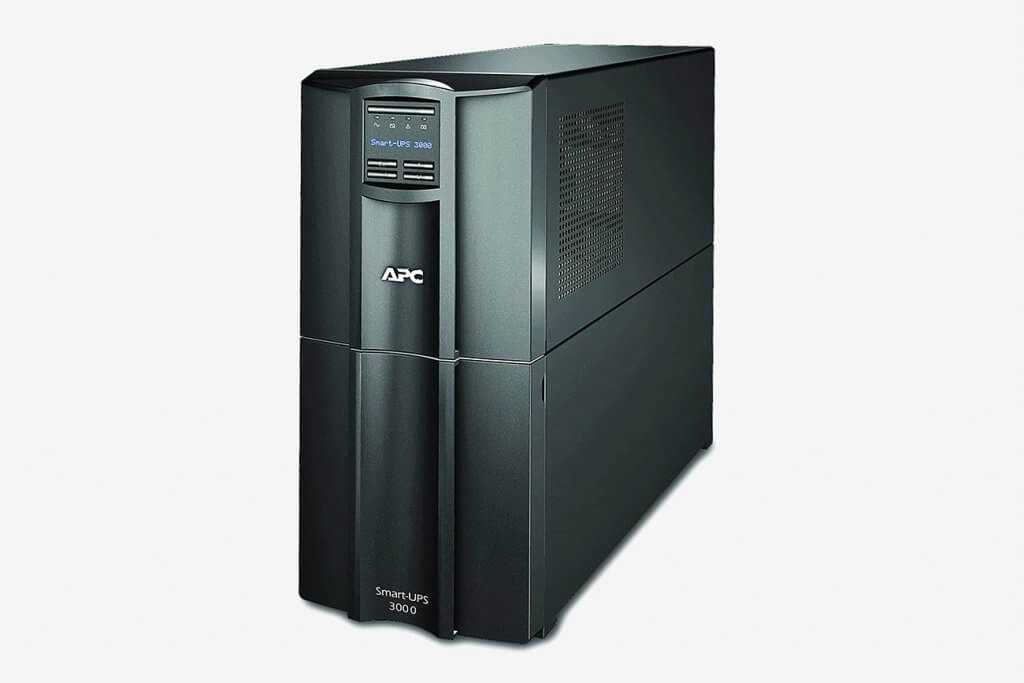
On the face of it, the Smart-UPS SMT3000C has a lot of the physical engineering you want to see in a UPS that’s designed to support a small to medium size server environment.

It’s also cloud-enabled for remote access through a secure encrypted web portal. To use it, you simply connect the UPS to your router via an ethernet connection, then you register it and the Power Chute software helps guide you through the process.
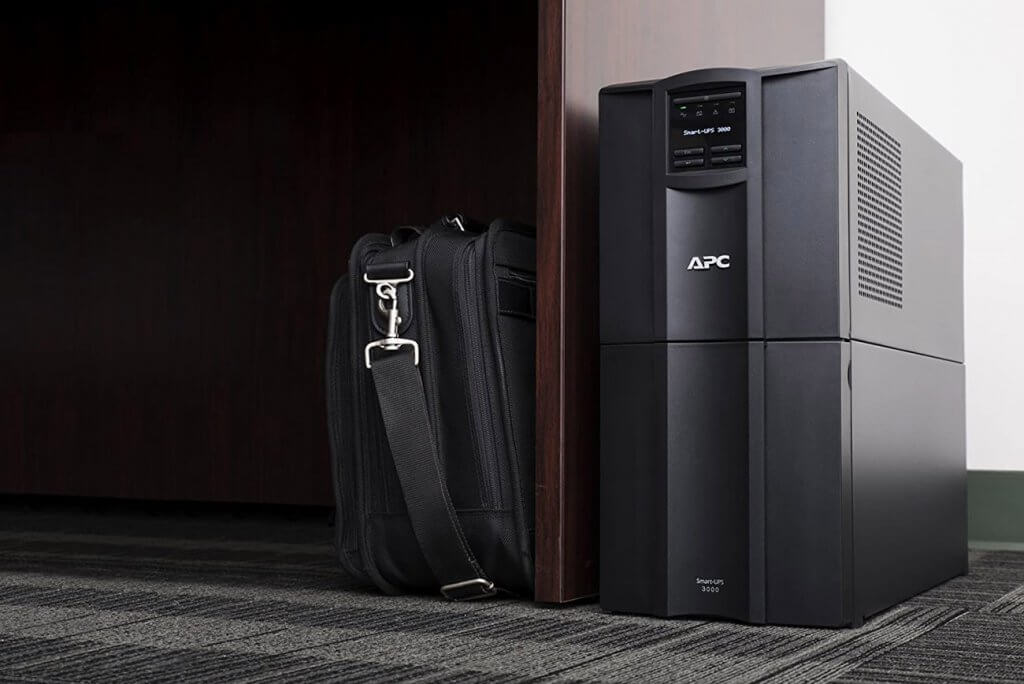
It has six primary outlets and AVR to help regulate AC power and prevent damage from surges or brownout events. It has an automatic green mode that monitors and manages the system for peak performance.
The Cloud enabled connectivity with secure remote access is very nice for times when there might be a power outage or another system fault that needs your attention, but you are away from the building. The intuitive interface and superior technical support offered by APC also makes it easy to maintain your network, even if you don’t have a dedicated on-site IT staff.
The APC Smart Ups Pure Sinewave UPS Battery Backup has all the nuts and bolts you want to see in a UPS system to support your IT environment. The software is easy to use and offers you secure, remote access.
If there’s a complaint here, it’s that the price tag is a little bit on the high side. This is likely due to APC assuming that companies without an IT staff will be recruiting support from APC’s tech support. If you already have a reliable IT staff on-site, you could save money by looking at a lower-priced competitor.

Specs:
The OPTI DS1500B is a double conversion UPS that can convert the current from AC to DC and then back from DC to AC. This has the net effect of making it more energy-efficient, as well as versatile. Though it does require the internal cooling fan to run frequently.

The double conversion engineering is designed to isolate the outside environment by efficiently converting power from AC to DC. This same current can then be converted back to AC. This works to buffer surges and brownouts that can influence the grid, to keep them from damaging your sensitive electronics. The three robust internal batteries provide uninterrupted power.

There is a suite of software that you can install which will provide you with secure remote access. It can also be set up to shut down a Windows server unattended. OPTI also offers a 2-year warranty with this the DS1500B.
The double conversion topology is a nice way to replicate AVR, without compromising energy efficiency. The suite of software that can also be set up to shut down a Windows server unattended is also a nice touch.
The OPTI-UPS DS1500B is arguably set up to support a server environment of a small office NAS box, rather than say a home theater system. Taken in that light, it has pretty much all the hardware and software features you need, at a price that outstrips the competition.
Unfortunately, the double conversion topology also means the internal fan will run nearly continuously. So, it’s best to give it its environment where you don’t have to deal with the soft, white noise all day long.

Specs:
The CyberPower EC850LCD was designed to support the backup power needs of a single desktop computer, a work station or a modest-sized home theater.

It’s rated for 510 Watts and includes 12 total outlets. Of them, 6 are connected to the battery backup and the internal surge protector. Of the 6 remaining outlets, all of them are surge protector only, with three being on the Eco outlets, which shut down power when a device goes to sleep or is turned off.

There is a small LCD panel that lets you monitor the UPS at a glance. Though there’s also a USB communication port, which lets you connect to a laptop, which could be handy if you want to tuck the CyberPower EC850LCD out of sight.
There’s also a 3-year warranty with $100,000 insurance. This is pretty impressive for such a small and inexpensive UPS.
The CyberPower EC850LCD’s low price tag combined with a variety of outlets let you connect a lot of low wattage devices. The three Eco ports are also a nice touch for devices that turn off automatically or go to sleep like a digital picture frame.
You’re not going to keep a whole office powered up for more than a few minutes with this 510-Watt UPS. Still, it has the load capacity to let you power down a single computer station or home theater in the event of a sudden power outage. At such a low price point, you’re probably also going to buy the CyberPower EC850LCD as much for being a surge protector as a battery backup system.
Right off the bat, the temptation is to assume that an uninterrupted power supply system is only necessary for power outages. Sure, they are an absolute life-saver for a short-to-mid-term blackout. However, that’s not the only time you might consider yourself blessed to have a UPS in your home or office.
On the face of it, an uninterrupted power supply is a sophisticated battery backup system that is designed to power your essential electronics during a power outage. They play a critical role in preventing data loss or the potential hardware stress that can sometimes occur during a hard shutdown.
At the same time, a quality UPS also acts as a surge protector. This can be especially handy if a local power surge affects your area, which can cause short-term damage or reduce an electronic device’s long-term lifespan.
Beyond surges and total blackouts, there are a few other scenarios where a UPS can come in handy. Especially, if for powering essential office electronics to maintain the normal flow of operations. This includes things like:
A Brownout is where there is a prolonged drop in voltage. Some brownouts are related to weather, though with our aging electrical infrastructure it could be a failure in part of the electrical grid. Sometimes a brownout is an early warning sign of a blackout. Being able to keep essential electronics powered up can help you prepare for total power loss. Especially if you need to do things like backup crucial data.
A Voltage Sag is like a miniature brownout. The problem here is that they sometimes occur in a short series, which can potentially damage certain types of electrical equipment.
An Over Voltage Event is like a mini-surge that lasts longer than normal and can damage sensitive electronics. A UPS with a sophisticated surge protection feature helps buffer the voltage to keep electronic devices safe.
Line Noise can disrupt or potentially degrade the performance of a circuit.
Frequency Variation can be a problem if you are running off a generator and the power frequency fluctuates. Here again, the UPS acts as a buffer to maintain a consistent frequency level.
At first glance, UPS systems pretty much all do the same thing. They act as a battery backup as well as a buffer against surges and other electrical events that might otherwise travel from the grid to your sensitive electronic devices.
However, different “Topologies” or types of UPS are engineered with features that cater better to specific needs.
A Standby UPS – Sometimes referred to as an Offline UPS, it essentially draws current from a standard electrical outlet and switches over to the power from the internal battery backup the instant it detects a power failure. This is arguably the most common type of UPS system and one you might often find in an individual office setting to provide backup power for a computer, printer or other electronic devices.
is the most common type of UPS found in a computer or office supply store. It draws current from the AC outlet and switches to the battery within a few milliseconds after detecting a power failure.
A Line-Interactive UPS – This type of system uses AVR or Automatic Voltage Regulation to effectively correct abnormalities in voltage without having to immediately resort to the reserve battery power. It does this through a special type of transformer that either lowers or boosts the voltage as needed. A
Line-Interactive UPS is essentially a buffer to protect your sensitive electronics from events that affect the power grid or the internal wiring of a building. They are particularly handy for protecting Network-Attached Storage devices and modest-size data storage servers.
A Double Conversion On-Line UPS – It shares a lot of features and functionality with a Standby UPS. One of the key differences is that it inverts the AC power to reduce heat output and improve efficiency.
For a UPS system to run properly it must have the capacity to meet the power demands of every electronic device that’s connected to it. This is typically expressed in a wattage rating, that you can then correspond to the total overall load of the devices you plug into it.
To accurately calculate your load needs, you will have to add up the wattage of every single device you want to connect to the UPS. You can usually find this information in the owner’s manual. Though a lot of appliances and electronic devices will have some sort of plate stamped or printed on them with wattage and other key specs.
Once you have your load calculated you start filtering through the UPS systems that are closest to your needs. Though you shouldn’t push it right up to the limit. It’s a good idea to target a UPS system that is rated at least 10% higher than you need. Especially if you’re thinking of upgrading or updating your devices a year or two down the road.
To make your UPS run properly, your UPS has to be large enough to support all of the equipment plugged into it. You will need to find the UPS capacity. Capacity is how much power a UPS system can provide (measured in Watts). The higher the capacity, the more electronic equipment, and devices it can support. To find the UPS capacity, you will need to calculate the load. The Load is the combined amount of power each of the devices uses.
To identify the load, make an equipment list, including the total watts each piece of equipment requires to run properly. Include all of the devices the UPS will need to support. If a piece of equipment has a redundant power supply, only count the wattage of ONE power supply.
If you are unsure how many watts your equipment requires, consult the manufacturer or power supply specifications in the user manual.
A quality UPS system is not the sort of thing you want to daisy chain like Christmas lights. You really should have 1 outlet per power cord. Plugging in a power strip or a splitter is a bad idea and could impact performance when you need it most. If you plan to plug three devices in the UPS system, you need to find one that has at least three outlets.
Since the UPS is essentially a sophisticated battery backup system, it has a finite capacity. As time goes on, the current stored inside the battery will gradually start to dwindle. The “Runtime” is essentially the number of minutes of consistent power the UPS system can support from a full charge.
It helps to take a moment to do a little thought experiment on how long you’ll want the power to your essential electronics. If you need time to save essential data on your laptop or print another copy of a business proposal during a short-term blackout, you might be fine with a shorter runtime. If you want to keep working for hours after a power outage, or you simply want enough power to finish watching a movie on a stormy day, while you wait for the power company to restore the lines, then you might prioritize a longer runtime.
It’s important to remember that the runtime will be influenced by the wattage of each device. The lower the wattage demand, the more minutes of runtime you will get from the batteries.
A: The power grid delivers AC power in a sinewave. When everything is operating normally, you UPS is simply passing this sine wave on to all the connected electronic devices. In the event of a power outage or brownout, the UPS will produce a sine wave or simulate a sine wave to your electronics.
With a simulated sine wave, there is sometimes a minor power gap during each cycle. Some appliances like refrigerators, microwaves, and air compressors with motors that run on AC electricity can be damaged by a simulated sine wave.
A: A UPS with hot-swappable batteries allows you to exchange additional backup batteries without having to shut the unit down. They are especially nice for times when your area suffers a prolonged power outage, and you want to continue working or using some essential electronics.
A: With most UPS manufacturers a rack-mounted or tower UPS tends to have the same basic specifications and features. The rack-mounted version tends to be more popular for a UPS device that’s meant to support a server or a Network-Attached Storage device. If you are just looking to back up a single office computer, a work station or a home theater, then a tower is probably easier to work with.
A: UPS manufacturers recognize that part of the value of the system is acting as a surge protector. At the same time, when there’s a power outage have a ton of devices plugged into the battery backup outlets. The last thing you want is the lamp in the corner or a digital picture frame on the wall draining current and reducing the overall runtime available to safely shut down your workstation computer.
A: While each UPS is rated for specific maximum load capacity, it’s also best not to push it to the max. The general rule of thumb is to only ask it to deliver 80% of the maximum load capacity at any one time. So, if you have a UPS that’s rated for 1,000-Watt maximum load capacity, you should try to keep the wattage demand of the devices on the battery backup side to around 800 Watts.
Investing in a UPS system makes a lot of sense beyond just buying you some extra time to save your work or finish watching a movie when the power goes out. A quality UPS system also helps protect your investment in the electronic devices and data it supports. In a worst-case scenario, a single surge or brownout event could cause thousands if not tens of thousands of dollars in damage. Taken in this light even a high-priced UPS system pays for itself in short order.
Finding the best UPS system for you still will require a little filtering and some basic mathematics. Right off the bat, you will want to double-check the wattage rating for each device you want to connect. This will give you a target range for load capacity to help weed out the field.
If you aren’t going to support a server or NAS box, then you can just stick to a “Standby UPS” If you do need to support some type of server environment, then you might want to prioritize a Line-Interactive or a Double conversion topology. In the case of a server support UPS, you might want to also look for a rack-mounted UPS rather than a tower.
At that point, you can start to dial in special features like management software and price. You should also keep an eye out for warranty coverage, as well as taking a look at how much insurance coverage the manufacturer offers for connected devices.
Product Boxes: Last updated on 2020-08-06 / Affiliate links / Images from Amazon Product Advertising API


The
TP LINK Deco M5 was designed to be very easy to setup. It’s also compatible with Amazon’s Alexa for voice control or if you prefer there is an app that’s compatible with both IOS and Android devices. When properly deployed it can cover up to 5,500 square feet.
This Wi-Fi network can connect to up 100 devices, this means the TP LINK Deco M5 could also be a great option for offices, and businesses with an expansive showroom. It could save you money versus cabling costs if, for example, your business is expanding into an older building with no structured cabling in place.
While it certainly has a lot of features that appeal to business, TP Link doesn’t lose sight of the functional features that matter most to families. This includes advanced parental controls with features that let you set time limits, group devices into a single profile setting, and it even deploys active content filtering.
The TP LINK Deco M5 designed with adaptive routing technology, which essentially chooses the highest performance signal for each network device. It even comes with a 3-year subscription to antivirus software powered by Trend Micro as well as a 2-year warranty with free 24/7 customer service.
This
whole-home mesh Wi-Fi system by Tenda was designed to be easy to use, easy to set up and also able to work with other smart home systems like Amazon Alexa and Google Assistant. As a dual-band Wi-Fi network, it can support both 2.4 GHz and 5.0.
This Tenda Wi-Fi network includes LED range indicators on the nodes. This cuts down on the guesswork of placement for optimum coverage. It’s Nova Mesh Wi-Fi app further helps with setup and includes a suite of helpful tools that let you manage the network effectively.
There are also some basic parental controls as well as the ability to create a guest network. This lets you give network access to guests, yet they still don’t have access to your family’s more sensitive information. for letting guests have access to your home Wi-Fi without necessarily giving them access to more sensitive data.
Amazon’s impressive expansion into the tech and smart home device niche includes a lot of versatile solutions for modern-day living. Their thoughtfully designed
eero Wi-Fi mesh network comes with an Echo Dot as well as a three-pack of Wi-Fi nodes. This bundle is also set up to work with the Apple Home Kit and Amazon Alexa.
This bundle offers 5,000 square feet of potential coverage. Yet it’s also expandable and has dual-band Wi-Fi signals that can simultaneously operate at 2.4 GHz and 5 GHz. Amazon also engineered the eero to be easy to set up to the point that even tech-savvy can people typically set it up in less than 10 minutes via an intuitive eero app.
The “True Mesh Technology” effectively routes signal traffic to reduce congestion, buffering, and prevent drop off problems. There are even advanced parental controls that let you do things like pause access to specific devices as well as monitor content.
Wireless connectivity and Wi-Fi networks are increasingly popular. This has inspired many manufacturers and tech giants to rush their options to the consumer marketplace, to the point that it can be a little bit challenging to find the best Wi-Fi mesh network for you.
Right off the bat, a lot of the systems sold online and at the retail level talk about being “Whole Home” or some other type of family-oriented marketing lingo. Yet, there are a lot of instances where a mesh Wi-Fi network could be a cost-efficient option for business. Especially businesses that are set up in an older building where installing up-to-date cabling is cost-prohibitive, or a company that relies on an expansive showroom as part of their sales strategy.
While exploring the Mesh Wi-Fi Network options on the market, we tried to look for systems that have the features a family might prioritize, while also being thoughtful to represent business interests.
Many homes simply aren’t designed with wireless connectivity in mind. Even just ten years ago the vast majority of internet signals were carried through ethernet wires or transmitted via a cellular signal from a local tower.
This means that in a lot of homes there are some “Dead Spots” or places where the signal strength is impeded to the point of being frustratingly slow. This is increasingly common in older and/or larger homes.
A Mesh Wi-Fi Network gets around this efficiently by using a series of nodes. With proper placement, each one communicates with the others to create a seamless network throughout the home without any frustrating areas of signal loss.
The number of nodes you need for your home will vary by size and might also be influenced by the structural materials and layout. Most two or three node Wi-Fi mesh networks will cover between 3,000 to 4,500 square feet.
Special features that a lot of homes and families prioritize include things like parental controls, as well as basic anti-virus software and the ability to prioritize devices. While filtering for these options, we also kept an eye out for other functional options like the ability to work seamlessly with popular “Smart Home” systems like Amazon’s Alexa, Echo Dot, or Google Home.
Several tech manufacturers offer Mesh Wi-Fi network packages that appeal to offices, and other professional spaces. Yet, they also don’t lose sight of the fact that the same package might also be appealing to homeowners. Putting in our due diligence, we tried to also keep an eye out for these packages.
The coverage area tends to be a top priority for office Wi-Fi mesh networks. Especially for older buildings, and showroom spaces. Though a Wi-Fi mesh network might also be something to invest in a small public venue or a library. A Wi-Fi network that is “Expandable” or allows you to connect additional nodes to the same network at a later date, also tends to be appealing in professional applications.
Security and anti-virus software tend to be very high on the priorities list in a professional-use Wi-Fi network. A package that allows the user to create a “Guest Network” is also very handy. It allows you to give clients, visitors, and outside contractors access to the mesh Wi-Fi network without necessarily giving them access to sensitive information. Other special features like data encryption and advanced password protection also tend to be attractive in a professional use Wi-Fi network.

Specs:
The TP LINK Deco M5 was designed to be compatible with Amazon’s Alexa. To that end, you can set it up for voice controls through your Alexa device or via an app that’s compatible with IOS and Android.

It can connect up to 100 devices, which is nice if you want to use the TP LINK Deco M5 in an office setting. This is a great option for say letting your salesforce or customer service staff all stay connected to the network for looking up information and answering client questions.
The TP LINK Deco M5 was designed with adaptive routing technology, which essentially chooses the fasted path for each network device. This particular package can cover up to 5,500 square feet, which is great for a large home with an outbuilding, or an expansive office setting.

The TP LINK Deco M5 comes with a 3-year subscription to antivirus software powered by Trend Micro. There are also parental controls that let you keep close tabs on what your children are viewing.
A 2-year warranty with free 24/7 customer services is included in the initial purchase. So, you know that if you do have a question or concern, you’ll have easy access to expert help without having to worry about a surprise bill appearing on your credit card. Of course, the TP LINK Deco M5 also comes with a guided assistance app and is compatible with Amazon’s Alexa.
The 3-year subscription to state-of-the-art antivirus software is a nice touch. Some of the direct competitors offer a one, three or six-month trial subscription, then charge you an annual fee after that.
The two-year warranty coverage, with 24/7 free tech support also makes a statement that TP LINK designed the Deco M5 for performance and that they believe in the product they are putting out.
Some competitors offer a Wi-Fi mesh system with more sophisticated parental controls and other bells and whistles. Still, the TP LINK Deco M5 was designed to do the things you need a Wi-Fi network to do. The fact that it also can cater to an office environment also increases its versatile value.

Specs:
The Meshforce M1 was designed to be a “Whole-Home” Wi-Fi mesh network. Though it could just as easily support an office environment. This particular three-pack provides up to 4,500 square feet of coverage, and it can connect up to 50-devices. The Meshforce M1 is also expandable to 10,000 square feet. It also has dual-band capability at 2.4 GHz and 5 GHz.

WPA2-PSK Mixed WiFi security with password encryption to keep hackers and unwanted users from accessing your network. Yet it also gives you the ability to create a guest network without exposing your sensitive information. It also has sophisticated parental controls that let you limit your children’s exposure to media, control screen time, and reduce the risk of internet addiction.

Meshforce also made a conscious effort to make this Wi-Fi network easy to set up and maintain. Most people can install it ready for use in under 10-minutes. It also comes with a My Mesh app, for IOS and Android devices that allow you to keep track of the network even when you are away from home.
The dual-band capability and the ability to expand coverage up to 10,000 square feet is nice for large homes and businesses that need to maintain a wireless network across a large sales floor.
At the same time, the ability to set up a guest network with proper security features and encrypted passwords lets you keep your sensitive information secure, while still allowing for approved guest access.
The word “Whole Home” might appear in the Meshforce M1 title, but you shouldn’t let that lure you into thinking that it’s only for residential applications. This Wi-Fi network has versatility, security, coverage, and expandability to serve a wide range of businesses.

Specs:
Amazon has an increasing presence in a lot of markets, especially with tech, and smart home devices. This includes their thoughtfully designed eero Wi-Fi mesh network. This particular package comes with an Echo Dot and a three-pack of Wi-Fi nodes. It also works with the Apple Home Kit or Amazon’s Alexa.

This gives it up to 5,000 square feet of coverage. Though if you have a larger home or a business with a showroom it is easily expandable. It has dual-band WiFi radios, that can operate simultaneously at 2.4 GHz and 5 GHz. Setup is very easy and even people who aren’t necessarily tech-savvy can typically get it up and running in less than 10 minutes. This is thanks in part to the eero app.

This eero Wi-Fi mesh network has “True Mesh Technology” which routes signal traffic efficiently to reduce congestion, buffering, and drop off problems. It also automatically updates safety and security features to make sure your system is optimized. Security and network services include WPA2 encryption, Family Profiles, threat scans, content warnings, and ad-blocking.
It has advanced parental controls that make it easy for you to manage devices in your home. This includes the ability to pause access if you think one of your children has had too much screen time.
The overall ease of use makes the eero Wi-Fi mesh convenient for everyone, including people who aren’t very tech-savvy, yet still need a wireless network in their home.
The ability to work with Alexa, Apple Home Kit and the Echo Dot make it easy to fit in with your existing or planned smart home devices.
The Amazon eero is thoughtfully designed, versatile, and easy to set up. It updates itself while giving you total control of access across the network.
If there’s something to complain about it’s the fact that it only comes with a 30-day trial of the Secure+ upgrade. After that, you have to pay a monthly subscription to use its more advanced features. Though this is relatively common in many, but not all the competition.

Specs:
Google is constantly growing its presence throughout all things tech. So, it’s no surprise that they offer a Wi-Fi mesh network designed to cater to the needs of homeowners and families. The Google NLS-1304-25 is a three-pack designed to be a whole home router replacement network.

This particular three-pack was designed to be very easy to setup. However, you will need an active Google account, a smartphone, a modem and of course a reliable broadband connection coming to your home. This will allow you to download the special Google Wi-Fi app.

The app lest you closely control every aspect of the network. This includes things like the ability to prioritize devices, which is handy if you want more bandwidth available to a home theater or a gaming system. There’s also a network assist feature that actively works to find the clearest signal for each device in the network.
The family controls are also thoughtfully engineered. You can even use the Google Wi-Fi app to “Pause” signal to specific devices. This is very handy for getting your kids off their phone for meal times or making sure that they aren’t using their phones after bedtime.
The Google Wi-Fi companion app is very intuitive giving you the ability to truly customize the network mesh to your family’s specific needs. Being able to prioritize devices that need more bandwidth and being able to keep a careful finger on your children’s access is a truly commanding experience.
This is a thoughtfully designed Wi-Fi mesh network with a lot of the features a family wants to see. The parental controls, and device prioritization, and the network assist maximize performance while keeping you in control.
Of course, you do have to invest in Google’s line to make it work, but that’s par for the course with everything they do. If you’re already a fan of Google’s line or you’re already using some of their Smart Home devices, then it’s a no-brainer.

Specs:
NetGear’s presence in the tech space has been growing quickly in recent years as they embrace thoughtfully designed tech products that make life easier. Their new Orbi Wi-Fi mesh system is available in a few different configurations. This particular 2-pack was designed for families who prioritize security and parental controls.

For a two-pack, this Wi-Fi mesh offers an impressive up to 5,000 square feet of coverage and can support up to 25 devices. This is thanks in part to the tri-band technology, which helps maintain and optimize multiple connections without having to sacrifice network speed.
The NetGear Orbi Wi-Fi Mesh is compatible with Amazon’s Alexa. It also comes with a 30-day free trial of NetGear’s Armor Anti-Virus and Security Software. If you like it they offer it at a reasonable $69.99 per year.

There is a sophisticated suite of parental controls that allow you to do things like view the history of sites visited as well as filtering websites for appropriate media. This goes a long way toward eliminating accidental exposure to inappropriate media or catching activity early. NetGear also offers an upgraded suite of special features for $4.99 per month. This gives you the ability to do things like set time limits for users as well as scheduling access.
The Tri-Band technology and the wide 5,000 square feet of coverage from two nodes certainly stands-out and helps maximize performance throughout the network. Being able to sync with Amazon’s Alexa is also handy for homes that already use the system or want to invest in it as part of their Smart Home solutions.
The NetGear Orbi rides on the front lines of innovation in Wi-Fi mesh networks. It has a lot of the features that a family will prioritize.
The knock here is that all of the security and advanced parental controls come at an extra cost. This does add to the overall long-term cost of the system, which is a little bit on the high side. Still, if you have the budget space for it, they are worth the money.

Specs:
This Tenda whole-home mesh Wi-Fi system was designed to be easy to set up as well as integrate seamlessly with any new or existing smart home devices. It works with Amazon Alexa and Google Assistant. It’s engineered for dual-band 2.4 GHz and 5.0.

This Wi-Fi mesh was designed for easy setup. One complaint that sometimes comes up with people who aren’t very tech-savvy is knowing exactly where to place the nodes for optimum performance. Tenda attempts to solve this issue by including LED range indicators. This helps take a lot of the guesswork out of the process. The Nova Mesh Wi-Fi app also has helpful tools and helps you manage the network from just about anywhere.

This Wi-Fi Mesh network also includes some basic parental controls. It includes a parent-friendly Wi-Fi timeout feature. There’s also a feature that lets you create a guest network, which is nice for letting guests have access to your home Wi-Fi without necessarily giving them access to more sensitive data.
The price is honestly one of the most attractive things about this network. When you take a look at all the features it offers, then compare the price to the competitors, there’s an obvious saving.
The LED range indicators are also a nice touch that helps you set up your network to catch all the dead spots as well as areas that might simply suffer from reduced signal clarity.
The three-year warranty with 24/7 tech support is also a nice touch. There are several competitors with more than twice the price point that don’t offer this robust coverage protection. It makes a real statement about how much Tenda stands behind this otherwise bargain-priced Wi-Fi network.
This is a great value-priced option for families who want to get a home Wi-Fi network but don’t want to pony up the high price tag that you see with so many of the competitors. Some of the features maybe aren’t as sophisticated as the software that you see with those higher-priced units. Still, at this friendly price tag, there’s a lot of functionality to like, without all the bells and whistles.
These days “Smart Home” devices and media streaming are incredibly popular. As more and more manufacturers and providers are offering competitive services their popularity seems likely to continue to grow for many years to come.
Of course, wireless connectivity and things like voice control are a critical component of this impressive evolution on home technology. A reliable WiFi network in the home is equally important to make sure that wireless routers, smart devices, and other components can connect seamlessly, without interruption due to distance or structural things like walls, metal studs or brick. It’s especially popular in larger homes here distance from one room to the next or one floor to the next could be significant.
Sometimes range extenders can help fill in wireless signals in trouble spots and “Dead Zones” within a house. Unfortunately, they usually have limited bandwidth, which can impede performance. Especially if your home office tends to one of these dead zones in your house.
Additional access points like an in-room ethernet connection you to maintain a full bandwidth connection to the nearest wireless router, regardless of the connection. Unfortunately, they’re not always that convenient.
A Wi-Fi Mesh Network is essentially a hybrid system consisting of multiple network components that are all connected to your home’s main router. It’s designed to work directly with “Nodes” or “Satellite Modules” that you place in key areas of your home. This could include high traffic areas like the main living room, as well as personal spaces like bedrooms, home offices, or a workshop.
These nodes are all connected to the same wireless signal and share the same SSID as well as the same password. One important difference between a Wi-Fi mesh network and range extenders is that range extenders tend to communicate with the local router through a 2.4 GHz or 5 GHz band. Whereas a Wi-Fi mesh system has the satellite nodes communicating seamlessly with each other. This essentially means that each node is serving as a connection for the others to ensure that even a node that is far from the primary router will still have a strong signal. Some of these systems will even use a dedicated radio band to connect and the router. In this type of setup outside clients and guest users on the network can make the most out of the standard 2.4 or 5 GHz bands.
The overarching goal of a Wi-Fi mesh network is to seamlessly connect multiple components to the main router. Then the main router connects to the primary modem to crease a single, blanket of coverage.
There is a fair amount of difference between a traditional router set up with a range extender and a Wi-Fi Mesh network. Right off the bat the router and the satellite nodes use their internal antennas. Most manufacturers make it a point to disguise nodes tastefully, so you can leave them out in relatively plain sight, with them looking out of place.
Most have one or more LAN ports to connect to other physical devices like a flatscreen TV, home audio system, desktop computer or a gaming console. A few even include USB ports, but this is a decreasing trend.
Most Wi-Fi mesh networks are multi-band use 802.11ac wireless technology and operate either on a 2.4 GHz, 5 GHz or its dedicated radio band. Though there are models that are set up to support MU-MIMO (Multi-User Multiple Input Multiple Output) technologies. This gives them the ability to simultaneously stream data to multiple network devices.
They often use some form of “Band Steering” which helps to select the cleanest or least-crowded radio band to optimize network performance. This is especially helpful for homes in dense urban or suburban areas where the signal density of all forms tends to be high.
Other special features include things like:
Parental Controls – Which helps families better filter the level of access children have to various media messages and images. This includes things like accidental exposure to inappropriate media. Parental controls with active content filtering further help keep your children from accidental exposure to inappropriate media and maybe a priority for families with a wide range of ages.
Some parental control features also include features that let you limit or restrict access to certain individual devices. This is handy for keeping children off their phone or tablet at mealtimes or making sure they aren’t on their phone after bedtime.
Guest Networking – Is a very popular option for homes with frequent visitors such as teenage friends coming over to game together or watch movies. It is also handy for a Wi-Fi mesh network in a small business with spread out office spaces.
Device Prioritization – This feature essentially lets you allocate a higher percentage of the bandwidth to a particular device or user. This might be something like a flatscreen TV, gaming system, a desktop computer for a graphic designer or some type of streaming device.
Guided Assistance Apps – This is an app that comes free with the initial purchase. It’s designed to help less tech-savvy people set up and optimize their Wi-Fi mesh network.
Adaptive Routing Technology – This is a special software feature where the network determines the fastest signal path for each device to optimize performance on its own.
Anti-Virus Software – Included in the package to help keep your home or office network up to date on the latest protection features.
Compatibility With Other Smart Home Devices – Many Wi-Fi mesh networks are compatible with multiple smart home systems. Though there are a few that are specifically designed to work best with a particular affiliated brand.
A: On the face of it, range extenders are a technology that seems doomed to eventually be phased out due to the potentially limited bandwidth. In some situations, a Dead Zone connected to a range extender might only be able to support half of the total bandwidth. This would be unacceptable if this dead zone happened to be the home theatre in your basement or the computer lab being used by a team of graphic artists.
Wi-Fi Mesh systems don’t have this same limitation, and proper placement can even have a greater range. They also tend to not have the same visual impact as range extender hardware. A Wi-Fi network also tends to be easier to use and the transition from one part of the home or office is typically seamless. However, set up can potentially take a little longer which might be addressed if you are tech-savvy or you have access to some level of professional IT support.
It’s also worth noting that networks that use range extenders also require you to manage multiple network names. Sometimes the names assigned may not be immediately obvious. Especially if you are going to frequently have guest users such as gamer friends or visiting clients.
A: Once set up the Wi-Fi network itself doesn’t have any subscription costs. However, there might be other long-term costs associated with companion smart home devices that connect to the network. At the same time, many Wi-Fi mesh systems come with some type of affiliated anti-virus software on a limited contract. If you want to continue service beyond that time frame the anti-virus company may require you to pay an annual subscription fee.
A: Some Wi-Fi mesh networks come in a basic package with one to three nodes. This typically gives them a range of anywhere from 500 to around 5,000 square feet. This is usually sufficient coverage for most large homes and small offices.
If you have a larger home, with outbuildings or perhaps a guest house, you might need more than 5,000 square feet of coverage. At the same time businesses with a large office space or an expansive sales floor/showroom might also need more coverage than the basic package can handle. A Wi-Fi network that’s “Expandable” makes it easier to accommodate these needs.
A: The material construction of the home or business, as well as the number of floors, can potentially influence coverage clarity. As a general rule of thumb, one node will cover between 500 too 1,000 square feet, which makes it a good option for small homes and apartments. A two-node Wi-Fi mesh network can cover between 1,500 to 3,000 square feet, which will cover most residential homes and modest office spaces. A three-node Wi-Fi mesh network can cover from 3,000 square feet up to 4,500.
At first glance, you could be forgiven for thinking that Wi-Fi mesh networks are only meant for residential use. Many of the most popular packages indeed have the kind of functionality and features that appeal to families. This is arguably the demographic that has the highest demand.
Still, you shouldn’t let features like parental controls and “Smart Home” device compatibility lure you into thinking a WI-FI mesh network is only for a homeowner. When you take a moment to think about it in a broader sense, a seamless Wi-Fi network can be a perfect connectivity solution for many businesses.
Let’s say for example that your small business has outgrown your original building, but the new brick and mortar location you’re looking at is older and doesn’t have any up to date cabling infrastructure. A cabling company might give you a prohibitive quote in the thousands! Compare that to the cost of an expandable Wi-Fi network and your budget gets a whole lot friendlier.
If you have an auto dealership or a furniture store with expansive showrooms and office spaces a Wi-Fi mesh network could be very cost-effective. Sales staff, customer service personnel, and guests could all enjoy seamless access to your network without you having to endure the cost of traditional cabling.
Of course, if you have a family then you are likely looking for a Wi-Fi, network with a few more special features. Things like security encryption help ensure that you don’t have neighbors and strangers getting access to what could be sensitive information. Parental controls and a partner app with integration to other smart home devices are also attractive, as they give you greater control.
Product Boxes: Last updated on 2020-08-06 / Affiliate links / Images from Amazon Product Advertising API

Be alerted to Breaking Christian News and Stories as it happens. The Christian Mail (TCM) was Founded in 2014 as Mail information service to Christians. TCM then first went online on March 14, 2014, operating as a blog (but designed like a Christian News website), showcasing selected Christian News from Christian News Networks from around the world (News Channels) to Christians.
Contact us: Chat with Us online
© 2022 The Christian Mail. All Rights Reserved.